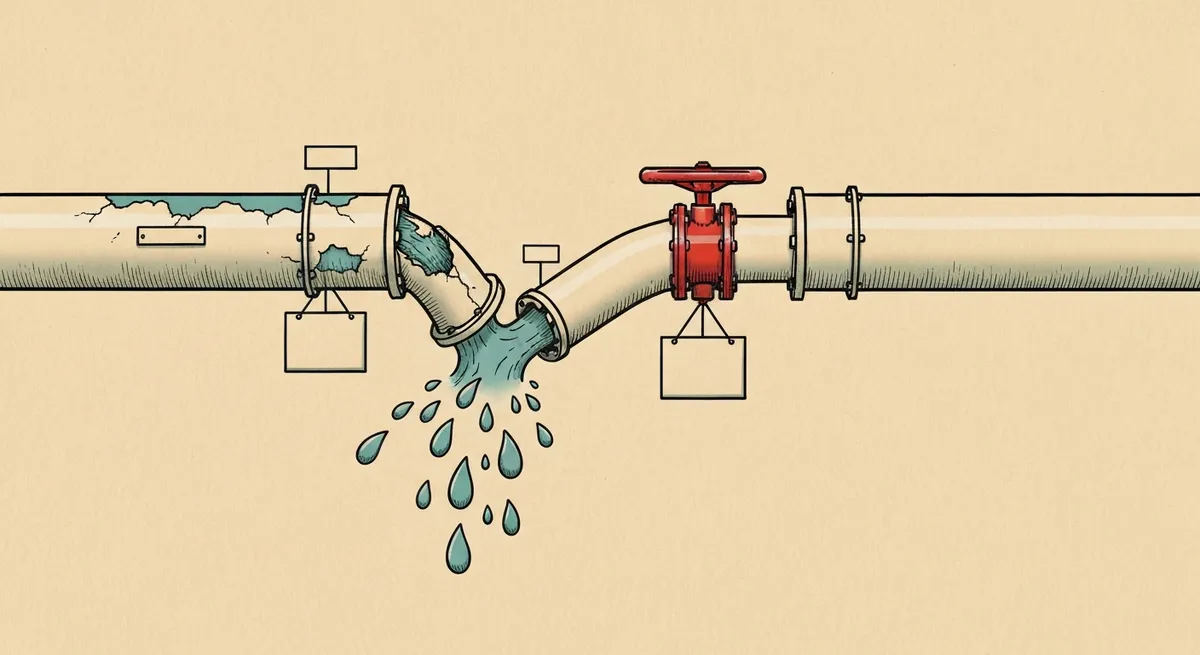
- Server-side migration is a data pipeline rebuild, not a container copy. Teams that treat it as 'move the tags to a new box' end up with duplicated conversions and broken attribution for weeks.
- Run client-side and server-side in parallel for 2-3 weeks minimum, comparing event counts daily, before you touch the client-side container's kill switch.
- The first-party subdomain (a CNAME like ss.yourdomain.com, not a stape.io or googleusercontent.com URL) is what actually restores ad-blocker resilience. Skipping it means you migrated infrastructure and gained nothing.
- Budget 6-10 weeks for a mid-size stack (GA4, Meta CAPI, Google Ads Enhanced Conversions) including a 2-week parallel run and a 1-week monitoring window after full cutover.
A retail client came to me with a familiar complaint: page speed scores in the 40s on mobile, Meta CAPI half-built by a previous agency, and a GTM container with 61 tags nobody fully understood anymore.
They'd already tried to migrate to server-side GTM once. The previous attempt lasted three weeks before they rolled it back. Conversion counts in GA4 dropped 30% the day they flipped the switch, nobody could explain why, and the agency's answer was "let's revert and revisit next quarter." That was eight months before I got the account.
This is the normal failure mode. Not a technical impossibility, a rushed migration with no comparison window and no rollback plan. The technology works. Most attempts fail because teams treat this like a config change instead of a data pipeline rebuild.
This post is the process I use for every sGTM migration: audit, architecture decisions, build, parallel run, cutover, and the failure points that show up at each stage.
What "Server-Side Migration" Actually Means
Client-side GTM runs in the visitor's browser. Every tag, every third-party script, every pixel fires from gtm.js loaded on the page. The browser talks directly to Google, Meta, TikTok, and whoever else you've got tags for.
Server-side GTM puts a container on a server you control (Google Cloud Run is the default, most people use it). The browser sends one event to your server endpoint. Your server container then fans that event out to Google Analytics, Meta CAPI, Google Ads, and anywhere else, using server-to-server calls instead of browser requests.
Three things change as a result:
- Ad blockers and ITP stop seeing most of your tracking. uBlock Origin blocks
googletagmanager.comand known pixel domains. It can't block a request to your own subdomain that looks like normal application traffic. - You control what data leaves your server. Client-side tags send whatever the browser has access to. Server-side, you can strip, hash, or drop fields before they hit any third party.
- Page load gets lighter. Fewer scripts executing in the browser, fewer render-blocking third-party requests.
None of those benefits show up automatically just because you stood up a server container. I've audited sGTM setups that were slower than the client-side version they replaced, because someone routed everything through stape.io subdomains with no caching and duplicated half the tags across both containers.
Copying your client-side tags into a server container and calling it done gets you a server that does the same job, badly, with an extra network hop. The value comes from re-architecting what data flows where, which tags actually need to live server-side, and how you handle first-party identity. Budget for that redesign, not just the copy-paste.

Step 1: Audit Your Current Container Before You Touch Anything
You cannot migrate a container you don't understand. Every failed migration I've inherited started without this step.
Export and read the container JSON
Go to GTM > Admin > Export Container. Don't just click through the UI, the JSON export is faster to search. Open it in a text editor and search for:
"type": "html"— custom HTML tags. These are usually third-party scripts pasted in directly, and they're the tags that don't have a clean server-side equivalent.- Every unique tag type (
ua,gaawe,fb,flc) so you have an actual inventory instead of a guess. - Trigger conditions that reference
dataLayervariables not defined anywhere in the container. These are dead triggers left over from a platform migration two years ago.
I typically find 15-20% of tags in a mature container are either duplicates, disabled-but-not-deleted, or firing on triggers that no longer match anything on the site. Cut these before migration. Don't migrate dead weight.
Map data dependencies
For each tag, answer: what data does this tag need, and where does that data currently come from? Browser cookie, dataLayer push, URL parameter, DOM scrape?
This matters because server-side containers don't have access to the browser DOM. A tag reading {{Click Element}} or scraping a CSS selector for price data has no server-side equivalent unless you push that value into the dataLayer client-side first, then forward it through the server.
If your container has custom JavaScript variables that read document.querySelector() for anything (price, SKU, form field values), that logic has to move client-side into a dataLayer push before migration. The server container never sees the DOM. I've seen migrations stall for two weeks because nobody caught this until QA.
Check consent and PII handling now, not after
If you're capturing form fields, email addresses, or phone numbers anywhere in the current setup, document exactly what's hashed, what's plaintext, and what's gated by consent state. Server-side migration is the natural point to fix bad PII handling, because you're rebuilding the pipeline anyway. Don't carry forward a plaintext email field into a new architecture and call it modernization.
What to do: spend 3-5 days on this audit before writing any migration plan. If you skip it, you'll discover the DOM-scraping variable or the missing consent gate during the parallel run, which costs you a week of debugging instead of a day of reading.
Step 2: Decide What Actually Moves Server-Side
Not every tag benefits from moving. Some should stay client-side. Getting this wrong is the second most common failure after skipping the audit.
Good candidates for server-side
- GA4 — full support, and this is where you get the ad-blocker resilience benefit, since GA4 hits are the ones most commonly blocked client-side.
- Meta Conversions API — this is the primary reason most clients start this project. CAPI events sent server-side, deduplicated against the browser Pixel via matching
event_id, recover 15-30% of conversions lost to iOS 14.5+ and ad blockers in my experience across e-commerce accounts. - Google Ads Enhanced Conversions — server-side hashing of first-party data (email, phone) gives Google a cleaner match without exposing plaintext PII in the browser.
- TikTok Events API, Pinterest Conversions API — same pattern as Meta CAPI, less mature templates but functional.
Tags that should stay client-side
- Anything requiring DOM access — heatmaps (Hotjar, Microsoft Clarity), session recording, on-page A/B testing tools like Optimizely that manipulate the DOM directly.
- Chat widgets — Intercom, Drift, anything rendering a UI element on the page.
- Consent management platforms — the CMP itself has to run client-side to actually block or allow other scripts before they load.
A container that's 100% server-side is usually a sign someone moved things that didn't need to move. Expect your final architecture to be a hybrid: a lean client-side container handling consent, DOM-dependent tools, and the initial event capture, feeding a server container that handles the conversion APIs and analytics platforms.
Step 3: Build the Server Container Correctly
Set up a first-party subdomain, not a shared endpoint
This is the step people skip because it takes an extra day and they don't understand why it matters.
If your server container is reachable at https://your-container-id.appspot.com or a generic stape.io subdomain, ad blockers and browser privacy features can and increasingly do block it, because those domains are shared across thousands of implementations and get added to blocklists the same way googletagmanager.com did.
Set up a CNAME record: ss.yourdomain.com pointing to your Cloud Run service (or your sGTM host's provisioning instructions for a custom domain). Configure the server container to serve from that subdomain. Now every event request looks like first-party traffic to your own domain, because it is.
Type: CNAME
Host: ss
Points to: ghs.googleapis.com (or your load balancer target)
TTL: 3600
I've measured this directly: on a client running Cloud Run through a shared default URL, roughly 22% of events never arrived, blocked by Brave, Firefox strict mode, and uBlock Origin lists that flag generic App Engine domains. Moving to a CNAMEd first-party subdomain dropped that loss to under 3%, and the remaining loss was mostly Safari ITP cookie restrictions, a separate problem.
Load your new ss.yourdomain.com endpoint with uBlock Origin and Brave Shields active. Open DevTools Network tab and confirm the request to your server container actually completes with a 200. If it's still getting blocked, check whether your subdomain accidentally resolves through a CDN or proxy that exposes the underlying stape.io or appspot.com hostname in the response headers.
Configure the GA4 client and server tags
In the server container, add the GA4 client (this replaces the need for gtag.js to talk directly to Google). Point your web container's GA4 config tag at your new server endpoint via the transport_url setting or, if you're using the sGTM GA4 template, configure it directly in the tag.
gtag('config', 'G-XXXXXXXXXX', {
  'transport_url': 'https://ss.yourdomain.com',
  'first_party_collection': true
});
Verify in DevTools that requests to /g/collect now go to your subdomain, not google-analytics.com directly.
Configure Meta CAPI with deduplication from day one
Don't build this in isolation from the existing Pixel. Generate one event_id client-side, pass it to both the browser Pixel and the server-side CAPI tag through the dataLayer. If you build CAPI first and reconcile deduplication later, you will double-count conversions during your entire parallel run and won't be able to trust your comparison numbers. I've written about the deduplication mechanics in detail elsewhere, but the short version: mismatched or missing event_id values are the single most common reason CAPI implementations inflate reported conversions by 40-80%.
Handle consent server-side too
Consent Mode v2 signals need to propagate to the server container, not just the client-side tags. If a visitor rejects analytics consent, the server container needs to know that and suppress the GA4 and ad platform tags accordingly, not just rely on the browser never sending the event. Build this into the server container's tag firing conditions before you go live, not as a patch afterward.
Step 4: Run Both Containers in Parallel
This is the step the failed migration I mentioned earlier skipped entirely. They cut over on a Friday afternoon and didn't have a comparison baseline when GA4 numbers dropped Monday morning.
Run client-side and server-side simultaneously for 2-3 weeks. Send the same events to both. Compare daily.
What to compare
- Event counts by day, by event name. GA4
purchaseevents from the client-side setup vs. server-side setup should track within 3-5% of each other. A gap larger than that means something's misconfigured, usually a missing parameter or a client not forwarding correctly. - Revenue totals. Sum transaction values from both pipelines. E-commerce clients care about this more than event counts, and it catches currency or value-mapping bugs that raw counts miss.
- Conversion API match quality. In Meta Events Manager, check the match rate for CAPI events specifically. If it's under 60%, your
user_datahashing (email, phone) probably isn't formatted correctly, check for lowercase and trimmed whitespace before SHA-256 hashing.
Where the discrepancies actually come from
In every migration I've run, the gap during parallel testing traces back to one of four things:
- A tag firing on a trigger that exists in one container but not the other, usually because someone forgot to replicate a custom trigger condition.
- A dataLayer variable not being forwarded from the web container's client to the server container's tags, silently dropping a parameter.
- Timezone or timestamp mismatches between client-side
event_timeand server-side processing, which shows up as events landing in the wrong day's totals when you're comparing day-by-day counts. - Bot traffic filtering differences. Client-side GA4 has some bot filtering built in. Server-side, you're responsible for filtering bot traffic yourself, or your server-side numbers will run higher than client-side, which looks like a win until you realize it's just crawler noise.
A single day matching within 5% doesn't mean your setup is stable. Traffic patterns, campaign timing, and even day-of-week effects create noise. Run the full 2-3 week comparison before cutover. I've seen setups that matched perfectly for four days then diverged when a weekend traffic pattern exposed a bot-filtering gap that weekday traffic never triggered.
Step 5: Cutover
Once your parallel numbers are stable and within tolerance for at least two full weeks, cut over.
Don't do a hard switch. Move tags from client-side firing to server-side forwarding one platform at a time; GA4 first, since it's the easiest to verify against Google's own real-time reports, then Meta CAPI, then Google Ads Enhanced Conversions, then anything else.
Between each platform's cutover, watch for 48-72 hours before moving to the next one. This isolates which platform caused a problem if something breaks, instead of debugging three simultaneous changes at once.
Keep the client-side tags in a paused, not deleted, state in GTM for at least 30 days after full cutover. If a stakeholder asks "why did conversions drop this week" during month one, you want the ability to republish the old version in minutes to compare, not rebuild it from memory.
Step 6: What to Monitor After Cutover
The migration isn't done when the last tag moves to server-side. It's done when a full reporting cycle (a month, minimum) closes with numbers the finance and marketing teams both trust.
Watch for:
- Google Ads Enhanced Conversions match rate, visible in Google Ads under Conversions > the specific conversion action > "Enhanced conversions for web" diagnostics. A match rate under 50% after 30 days suggests your hashed user data isn't formatted the way Google expects.
- CAPI event overlap in Meta Events Manager. Check the "Deduplicated Events" metric weekly for the first month. If it drops to near zero, your
event_idmatching broke somewhere, possibly a code deploy that changed how the ID gets generated. - Page speed, actually measured. Run PageSpeed Insights or a Lighthouse CI check before and after. The gains from removing client-side pixel scripts should show up in Total Blocking Time specifically. If TBT didn't improve, check whether you're still loading redundant client-side scripts alongside the new server calls instead of removing them.
The Real Timeline
For a mid-size stack (GA4, Meta CAPI, Google Ads Enhanced Conversions, maybe TikTok or Pinterest), here's what actually takes the time:
- Audit: 3-5 days
- Architecture decisions and container build: 2-3 weeks
- Parallel run: 2-3 weeks minimum
- Staged cutover: 1-2 weeks (platform by platform, with monitoring gaps between each)
- Post-cutover monitoring before calling it stable: 2-4 weeks
That's 6-10 weeks total for something most agencies quote as a two-week project. The two-week quote is how you end up with the rollback story from the start of this post.
The Takeaway
Server-side migration fails for the same three reasons every time: no audit before starting, no parallel comparison window before cutover, and no first-party subdomain, so the ad-blocker resilience never actually materializes.
Fix those three things and the rest of the migration is mechanical. Audit the container, decide what actually belongs server-side versus what needs the DOM, build with deduplication and consent handled from day one, run both pipelines side by side until the numbers agree for two straight weeks, then cut over one platform at a time. Skip any of those steps and you'll be explaining a conversion drop to a VP who wants to revert by Friday.