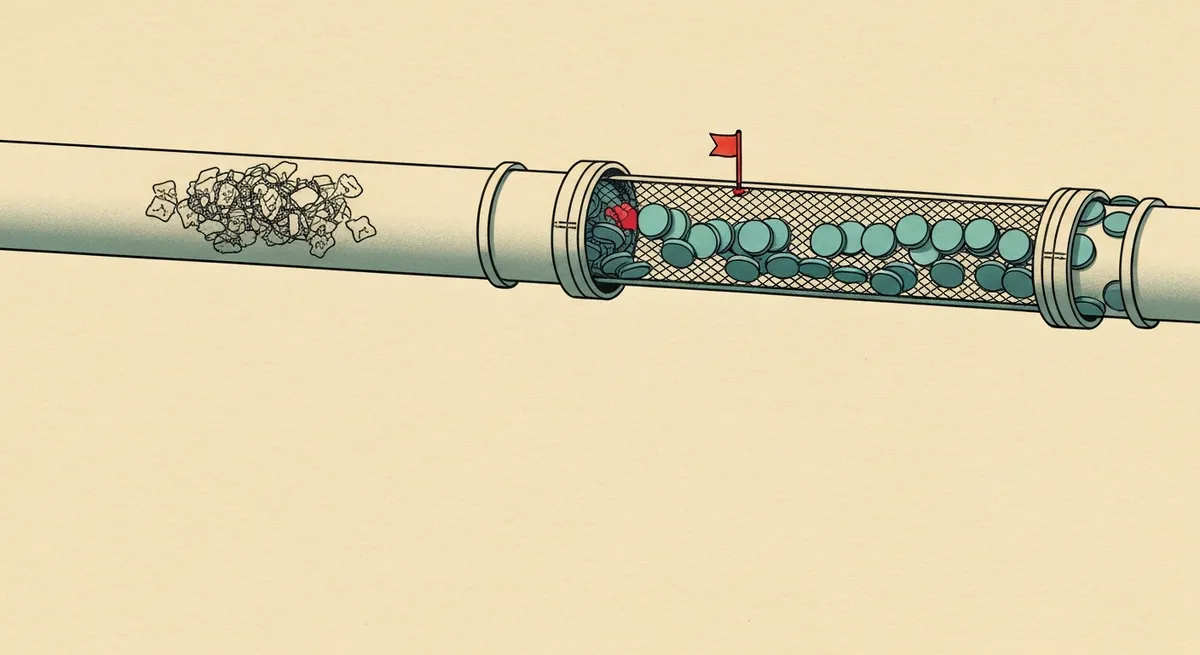
- Meta will suspend ad accounts for health-related custom audiences even when no PHI is technically present, because the Special Ad Category filter flags condition-adjacent URLs and event names automatically.
- The fix is not turning off CAPI. It's stripping PHI at the server layer (sGTM or a middleware proxy) before the event ever reaches Meta's endpoint, and verifying it with the actual request payload, not Events Manager's summary view.
- Standard event names like 'Schedule' fired on a URL path containing a condition or provider name become PHI the moment they're tied to an email hash or a Meta cookie ID. Rename events and strip paths before mapping parameters.
- Meta has never signed a BAA for the Pixel or Conversions API. If your ad account is running either on a page where PHI could exist, that's a standalone violation independent of what data actually gets transmitted.
A dermatology group came to me with a suspended Meta ad account. No warning, no policy violation email that made sense, just a banner that said "Restricted: Special Ad Category" and a support thread going nowhere.
They weren't running housing, employment, or credit ads. They were running ads for eczema treatment. Meta's classifier had flagged the campaign as health-adjacent, which triggers automatic restrictions on targeting and event data, and their CAPI integration was sending page URLs like /conditions/eczema/book-appointment straight into the event payload.
Nobody told them this was a problem because their dashboard looked fine. Conversions were tracking. ROAS looked healthy. The account got flagged three weeks later, and by then they had no idea which of the 40,000 events sent in that window contained what.
This is the version of the HIPAA problem that hits marketers directly, not just compliance teams. If your Meta ads account gets suspended, your pipeline stops. If PHI leaked into Meta's servers for those three weeks, that's also a reportable breach. Both problems trace back to the same root cause: nobody built a filter between the browser and Meta's endpoint.
What Actually Counts as PHI in a Meta Payload
PHI isn't just name and diagnosis in a form field. It's any health information tied to an identifier Meta can resolve back to a person.
Meta resolves identifiers through hashed email, hashed phone, the fbp/fbc cookies, and IP plus user agent for probabilistic matching. Any of those, combined with a URL path, event name, or custom parameter that reveals a health condition, becomes PHI the moment it lands in Meta's system.
Three vectors show up in almost every healthcare Meta setup I audit:
URL paths. /services/oncology/schedule sent as event_source_url in a CAPI payload is a condition tied to a hashed email. Meta stores the raw URL string. Hashing the email doesn't neutralize the URL.
Event names. Standard events like Schedule or Lead sound neutral, but if the event only fires on a single service line's landing page, the event name plus the page context is functionally a diagnosis. I've seen custom event names like bariatric_consult_booked sent directly as the event_name parameter. That's a condition, in plaintext, in the event name field.
Custom parameters. Some CAPI implementations pass content_name or content_category values pulled straight from CMS fields: "Diabetes Management Program," "HIV PrEP Consultation." These get mapped without anyone checking what's actually in that CMS field.
Turning on advanced matching in the Meta Pixel automatically hashes and sends email, phone, first name, and last name if those fields exist on the page (like a pre-filled appointment form). The hash doesn't strip the health context sitting in the URL or event name next to it. You're just adding more identifiers to combine with the condition data you're already leaking.

Why Meta's Special Ad Category Filter Isn't Protecting You
Marketers assume that if Meta requires you to declare "Health" as a Special Ad Category, the platform is handling compliance on its end. It isn't. That declaration restricts targeting options (no age, gender, or zip-based targeting) and disables certain optimization events. It does nothing to inspect or filter the data you send via CAPI.
Meta's classifier does scan for health-adjacent signals in your event data and URLs, and it will restrict or suspend accounts that look like they're targeting based on health status, even unintentionally. That's what happened to the dermatology group. But the classifier catching a pattern and the platform being HIPAA-compliant are two separate things. You can pass the classifier and still be sending PHI. You can also get flagged by the classifier without having a technical PHI leak, just from URL structure.
Don't treat account health signals as a compliance check. They measure something adjacent, not the thing you actually need to verify.
The Setup That Works: Filter Before It Reaches Meta
The fix isn't disabling CAPI. Server-side tracking is more reliable than browser-only Pixel firing, and for a healthcare business trying to measure ad performance under iOS 14.5+ signal loss, you need it. The fix is putting a filtering layer between your site and Meta's Graph API endpoint.
Step 1: Route Events Through a Server Container
Use server-side GTM (or a custom middleware endpoint if you're not on GTM) as the only path events take before reaching Meta. Nothing goes from browser to Meta's Conversions API directly.
Browser event → sGTM container → PHI filter → Meta CAPI tag → Meta
In your sGTM container, the client picks up the dataLayer push. Before it reaches the Meta CAPI tag, run it through a transformation step (a GTM variable or a Google Cloud Function if you need more logic than GTM's UI supports).
Step 2: Strip the URL, Don't Just Rename the Page
Most implementations pass event_source_url straight from document.location.href. Replace this with a sanitized version at the point of collection.
function sanitizeEventUrl(url) {
  const parsed = new URL(url);
  // Strip path segments matching condition/service patterns
  const blockedSegments = ['conditions', 'services', 'treatment', 'providers'];
  const pathParts = parsed.pathname.split('/').filter(Boolean);
  const hasBlockedSegment = pathParts.some(p => blockedSegments.includes(p));

  if (hasBlockedSegment) {
    return `${parsed.origin}/appointment-flow`; // generic placeholder path
  }
  return parsed.origin + parsed.pathname;
}
This is a starting pattern, not a drop-in fix. You need to map every URL structure on your site (get the full sitemap, not a sample) and decide which path segments reveal health information. A generic /appointment-flow placeholder preserves the fact that a conversion happened without preserving what it was for.
Step 3: Rename Events to Remove Condition Context
If your event names encode the service line (bariatric_consult_booked, oncology_form_submit), stop. Use one generic conversion event (Schedule or Lead) across all service lines. If you need service-line-level reporting, keep that in your own analytics warehouse behind a BAA, not in Meta's event taxonomy.
{
  "event_name": "Schedule",
  "event_time": 1712000000,
  "event_source_url": "https://yourdomain.com/appointment-flow",
  "user_data": {
    "em": "<hashed_email>",
    "client_ip_address": "<ip>",
    "client_user_agent": "<ua>"
  },
  "custom_data": {}
}
No content_category, no content_name pulled from a CMS field. If you need those fields for optimization, populate them with generic values ("General Consultation") rather than the raw condition string.
Step 4: Verify the Actual Payload, Not the Events Manager Summary
Events Manager shows you that an event fired and matched. It does not show you the full payload contents in a way that makes PHI obvious. You have to check the request itself.
In your sGTM container, use the Preview mode and inspect the outgoing request to Meta's endpoint before it leaves your server. Confirm:
event_source_urlcontains no condition, provider, or service-line pathevent_nameis genericcustom_datafields don't contain CMS-sourced health terms- No free-text fields (like a form's "reason for visit") are mapped anywhere in the payload
I've seen sites where the main landing pages were clean but a single legacy service line (added by a different agency two years earlier) still had condition names hardcoded into the dataLayer push. Pull every unique page template and test each one. One clean template doesn't mean the rest are clean.
Where This Still Breaks
Lookalike and Custom Audiences built from website visitors. If you build a Custom Audience from "people who visited /conditions/oncology," that audience list itself is a PHI artifact, even if the CAPI payload feeding it is clean. Build audiences from generic conversion events only, never from URL-based visitor segments tied to condition pages.
Offline conversion uploads. If your sales or care coordination team uploads a CSV of closed appointments to Meta for offline event matching, check what columns are in that file before upload. I've seen CSVs with a "diagnosis" or "referral reason" column included because it was in the original CRM export and nobody removed it.
Retargeting pixels on condition pages. Even with a clean CAPI payload, the base Pixel firing on /conditions/oncology sets an fbp cookie tied to that page view. If you then retarget that specific audience with an oncology-specific ad, you've reconstructed the PHI relationship on the ad delivery side, regardless of what the tracking payload contained.
No BAA, regardless of how clean the data is. Meta has never signed a BAA for the Pixel or CAPI. Even a perfectly filtered implementation doesn't solve this. If PHI could ever pass through the pipe, even hypothetically, running it without a BAA is a violation on its own. The filtering work reduces your actual exposure and your breach risk. It doesn't substitute for the legal requirement.
What to Do This Week
Pull your sGTM container and check every tag feeding the Meta CAPI. Confirm event_source_url is sanitized, not raw. Check your Custom Audience list in Meta Ads Manager for any built from condition-specific URL visitors and delete those. Ask whoever manages offline conversion uploads to send you the last CSV that went to Meta, and check the column headers yourself.
None of this requires waiting on legal or an agency. It requires opening the container and reading the actual payload going out the door.