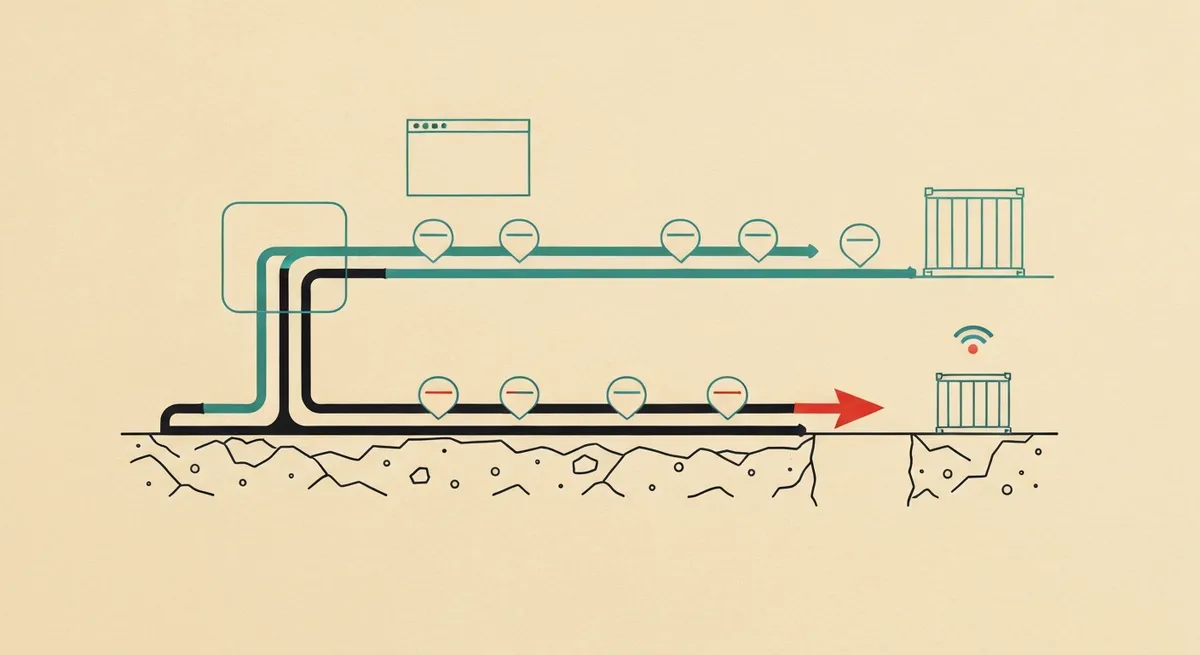
- Tag-based Enhanced Conversions (gtag/GTM) is faster to ship but caps your match rate at whatever first-party data the browser can see, usually 60-75% coverage on form leads.
- Server-side Enhanced Conversions (via Google Ads API or CAPI-style upload through sGTM) lets you enrich with CRM data after conversion, which is the only way to fix leads that closed 3 weeks after the click.
- The two modes aren't mutually exclusive: run tag-based for real-time coverage and layer server-side uploads for offline conversion enrichment without double-counting, as long as you key both on gclid or a shared order id.
- Check Diagnostics under each conversion action in Google Ads. If 'Enhanced conversions for leads' shows a status of 'No recent data' after 72 hours, the server-side upload isn't matching, not just delayed.
A B2B client came to me convinced their Enhanced Conversions setup was broken. Match quality in Google Ads sat at "Good" for three months, then dropped to "Fair" the week after they redesigned their contact form.
Nothing about the tag changed. What changed: the new form removed the phone number field to reduce friction. Enhanced Conversions for Web was still firing, still hashing the email, but with one less signal to match against Google's identity graph. Match rate dropped from 71% to 54%. Cost per lead went up 18% inside of two weeks because Smart Bidding lost confidence in the conversion signal.
That's the thing about Enhanced Conversions. It isn't a toggle you flip once. It's a pipeline, and the pipeline you choose (tag-based or server-side) determines what you can fix later and what you're stuck with.
The Core Difference
Enhanced Conversions for Web (tag-based) hashes user-provided data, like email or phone, in the browser at the moment of conversion and sends it alongside your existing gtag or GTM conversion tag. Google matches the hashed data against signed-in Google accounts to recover conversions lost to cookie blocking, ITP, and ad blockers.
Enhanced Conversions for Leads (server-side) works after the fact. You upload hashed conversion data, gclid, and conversion value directly to Google, either through the Google Ads API, a Google Sheets connector, or a CRM integration like HubSpot or Salesforce. This is built for lead-gen businesses where the actual "conversion" (a closed deal) happens weeks after the click, long after any browser tag could still be running.
They solve different problems. Tag-based recovers conversions that are happening right now but getting lost to browser-side signal loss. Server-side recovers conversions that haven't happened yet at click time.
Google's own documentation blurs this, but the two modes stack. You can run EC for Web to catch real-time form fills and layer EC for Leads on top to enrich those same leads later with CRM stage data (MQL, SQL, Closed Won). The key is keying both to the same gclid so Google can tie the enrichment back to the original click instead of creating a second, unlinked conversion.

Tag-Based: What It Actually Catches
If you're running gtag.js or GTM, tag-based EC is the lower-effort path. You either flip on "Enhanced conversions" in the conversion action settings and let Google auto-collect form fields, or you pass explicit user data via the enhanced_conversion_data object.
gtag('set', 'user_data', {
  "email": "user@example.com",
  "phone_number": "+16505551234",
  "address": {
    "first_name": "John",
    "last_name": "Doe"
  }
});
Google hashes this client-side with SHA-256 before it leaves the browser. You never see the raw hash in your own network logs unless you inspect the request payload directly, which you should, because "it's hashing" is not the same as "it's hashing the right fields."
The failure mode I see most: teams enable auto-collection instead of explicit tagging. Auto-collection scrapes form fields based on autocomplete attributes and input names. If your form uses name="user_email" instead of name="email" with autocomplete="email", Google's auto-collection silently grabs nothing. The tag fires, the conversion records, but the enhanced conversion payload is empty. Match quality stays capped at whatever the base conversion already provided.
Check this in Google Tag Manager: Preview mode, fire the conversion, look at the tag's "Enhanced Conversion Data" section in the debug panel. If it's blank, auto-collection isn't finding your fields. Switch to explicit user_data and map the fields manually.
The Ceiling
Tag-based EC is bounded by what the browser knows at conversion time. If someone fills out a form with a personal Gmail but converts on a company laptop with Safari ITP blocking third-party cookies, you get the hash, but you don't get anything richer than email and maybe phone. No deal value if the deal closes later. No lead quality signal. It's a point-in-time snapshot.
For e-commerce, that ceiling is fine. Purchase value is known at conversion time. For B2B lead gen with a 30-60 day sales cycle, that ceiling is the whole problem.
Server-Side: Closing the Gap
Enhanced Conversions for Leads exists specifically for the B2B case. You capture the gclid on the lead form (store it in a hidden field or push it to your CRM via UTM/gclid parameter capture), then upload conversion data later, once you know whether the lead actually became revenue.
The upload path most teams use: Google Ads API via a script, or a native CRM integration if you're on HubSpot, Salesforce, or Marketo. The payload looks like this:
{
  "conversionAction": "customers/1234567890/conversionActions/987654321",
  "gclidDate": {
    "gclid": "Cj0KCQiA...",
    "conversionDateTime": "2026-04-10 14:32:00-05:00",
    "conversionValue": 4500,
    "currencyCode": "USD",
    "userIdentifiers": [
      {
        "hashedEmail": "e3b0c44298fc1c149afbf4c8996fb924..."
      }
    ]
  }
}
The gclid ties this upload back to the original ad click. Without it, Google has no way to attribute the revenue to a campaign, and you've just built an expensive CRM export.
Google Ads only accepts conversion uploads within 90 days of the original click. If your sales cycle runs longer than that, and for enterprise B2B it often does, you lose the ability to attribute closed revenue back to the ad. Some teams work around this by uploading an interim "SQL" conversion at day 60 to at least capture pipeline value inside the window, then a second event for Closed Won if it lands before the cutoff.
Where This Breaks
The most common failure isn't the upload script. It's gclid capture on the front end. If your form doesn't store the gclid at submission time, either in a hidden input or as a CRM field, you have nothing to upload against later. I've seen teams build the entire server-side pipeline, test it against a manually entered gclid, ship it, and then find three weeks later that the CRM field was never populated because the JavaScript that reads gclid from the URL query string never made it past a form redesign.
Check this first, before anything else: open your CRM record for any lead who came from a Google Ads click. Is there a gclid field, and is it populated? If it's blank, your server-side EC has nothing to work with regardless of how correct the upload script is.
Match Quality: What Actually Moves the Needle
Google Ads reports match quality per conversion action under Tools & Settings > Conversions > [conversion action] > Diagnostics. The categories are "Great," "Good," "OK," "Fair," "Poor," or "No recent data."
Tag-based match quality is driven by the number and type of identifiers you pass. Email alone gets you into "OK" territory most of the time. Email plus phone plus address (first name, last name, zip, country) pushes into "Good" or "Great." I've watched match quality go from "OK" to "Great" purely by adding a phone number field back to a form that had removed it for conversion rate reasons. Worth the tradeoff most of the time, since Smart Bidding efficiency gains from better match quality usually outweigh a small form completion hit.
Server-side match quality depends heavily on data freshness. Uploads submitted within 24-48 hours of the click match at a meaningfully higher rate than uploads submitted at day 60, because Google's identity graph correlates the click-time session with the hashed identifiers more reliably when they're close together in time. If your CRM only syncs to Google Ads once a week, you're leaving match rate on the table purely because of batch timing, not data quality.
Under each conversion action, the Diagnostics tab shows "Enhanced conversions for leads" status. If it reads "No recent data" more than 72 hours after your last upload, that's not a delay, that's a matching failure. Common cause: the gclid in the upload doesn't match the format Google expects (URL-encoded vs raw), or the hashed email doesn't match the casing/whitespace normalization Google requires (lowercase, trimmed, before SHA-256).
Which One to Run
E-commerce and anything with an immediate transaction: tag-based EC for Web is enough on its own. The conversion value is known at click time, there's no multi-week enrichment need, and the setup is a GTM tag configuration, not an API integration project.
B2B lead gen, high-ticket sales, anything with a sales cycle over a week: run both. Tag-based EC for Web catches the initial form fill in real time so Smart Bidding has a signal to optimize against immediately. Server-side EC for Leads enriches that same gclid later with actual revenue once the deal closes, which is the number that actually matters for bidding toward profitable customers instead of just form fills.
Do this first: pull your CRM export for the last 90 days of paid leads and check what percentage have a populated gclid field. If it's under 80%, fix front-end gclid capture before building anything server-side. The upload pipeline is useless without the join key.